
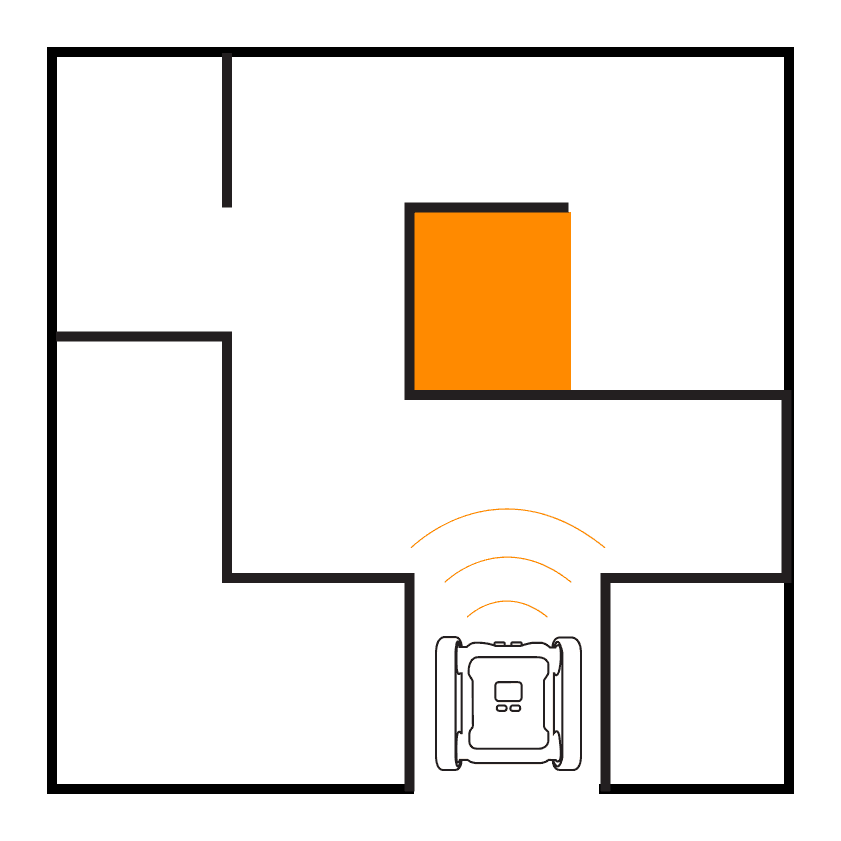
Navigate your rover through a maze using the ultrasonic sensor to detect walls ahead and the IR sensor to check for walls to the side. This beginner approach introduces the fundamentals of maze solving with simple branching logic.
Activity Demonstration
Setup
Construct mazes with any solid material that is tall enough for the rover IR & ultrasonic sensors to detect. We use boxes or wooden blocks to create our walls. For this first level, keep pathways wide with at least 15cm clearance on each side of the rover to make it easier for students to get started.
Here’s Our Approach
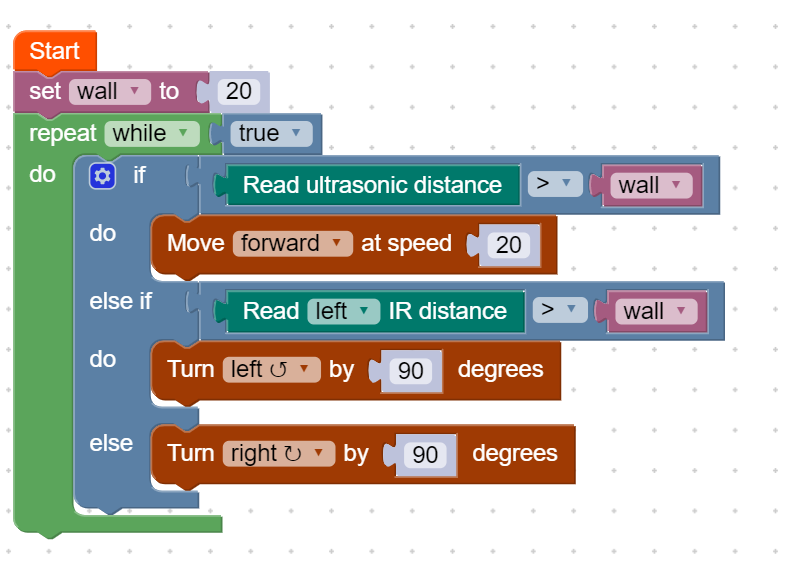
This basic approach only involves the ultrasonic sensor and the left IR sensor.
Stage 1
We start by creating a variable named wall which represents the distance (cm) from the side of our rover to the maze wall when the rover is placed in the middle of a maze path.
Stage 2
With an IF/ELSE IF/ELSE block we first check if the rover can move forward. If the ultrasonic sensor doesn’t detect anything closer than our wall variable it will move forward. If it did not pass this check, it means there is a wall in the way and it now has to decide where to turn.
Stage 3
Our next case, the ELSE IF, will check if the left IR sensor detects a wall. If it doesn’t, the way is clear & it will turn left. If it does detect a wall, it will go to the ELSE case and turn right. We then place the whole IF/ELSE IF/ELSE block in a while true loop so it will repeat this behaviour indefinitely.
Example Code
Up Next
Ready for a harder maze? In Maze II you’ll use both IR sensors and the ultrasonic sensor together to handle more complex maze layouts.