
Micromelon Junior
A simplified coding app for students who aren't yet ready for the full Code Editor. Junior teaches the basics of computational thinking with a friendly, easy-to-navigate interface.
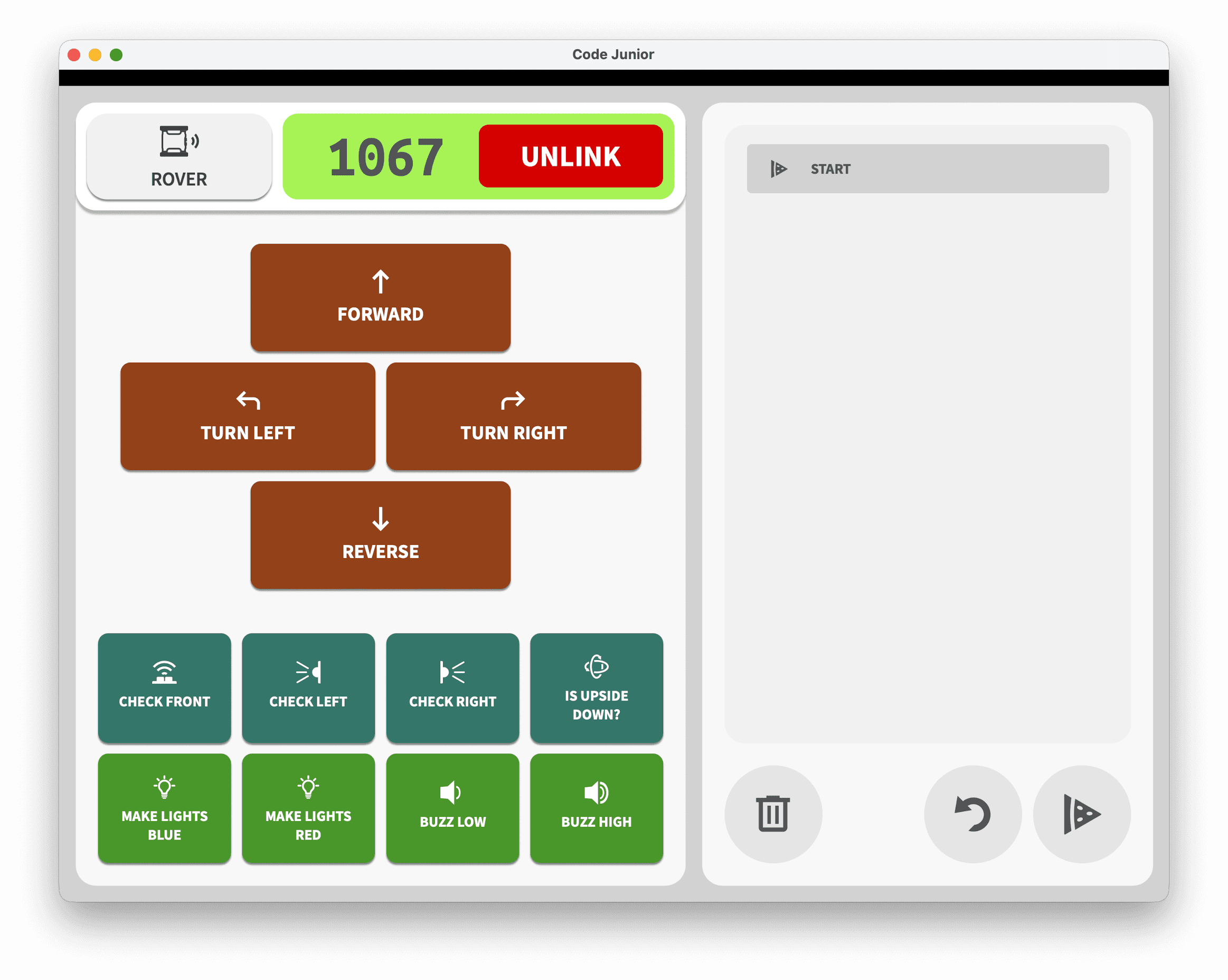

Built for Younger Learners
Junior is designed for lesson plans that focus on computational thinking fundamentals like sequencing, loops, and simple decision-making, without the complexity of a full coding environment.
Simplified Interface
A pared-back design so students can focus on learning concepts rather than navigating menus.
Tablet-First
Available on iPad and Android. Perfect for schools using tablets in the classroom.
Block-Based Coding
Drag-and-drop blocks to build programs. No typing required, making it accessible for early primary students.
Works with the Rover
Connect to a real Micromelon Rover and see programs come to life, the same rover students will use as they progress.
See It in Action
A clean block-based interface for building programs, and a live Rover View showing real-time sensor data.
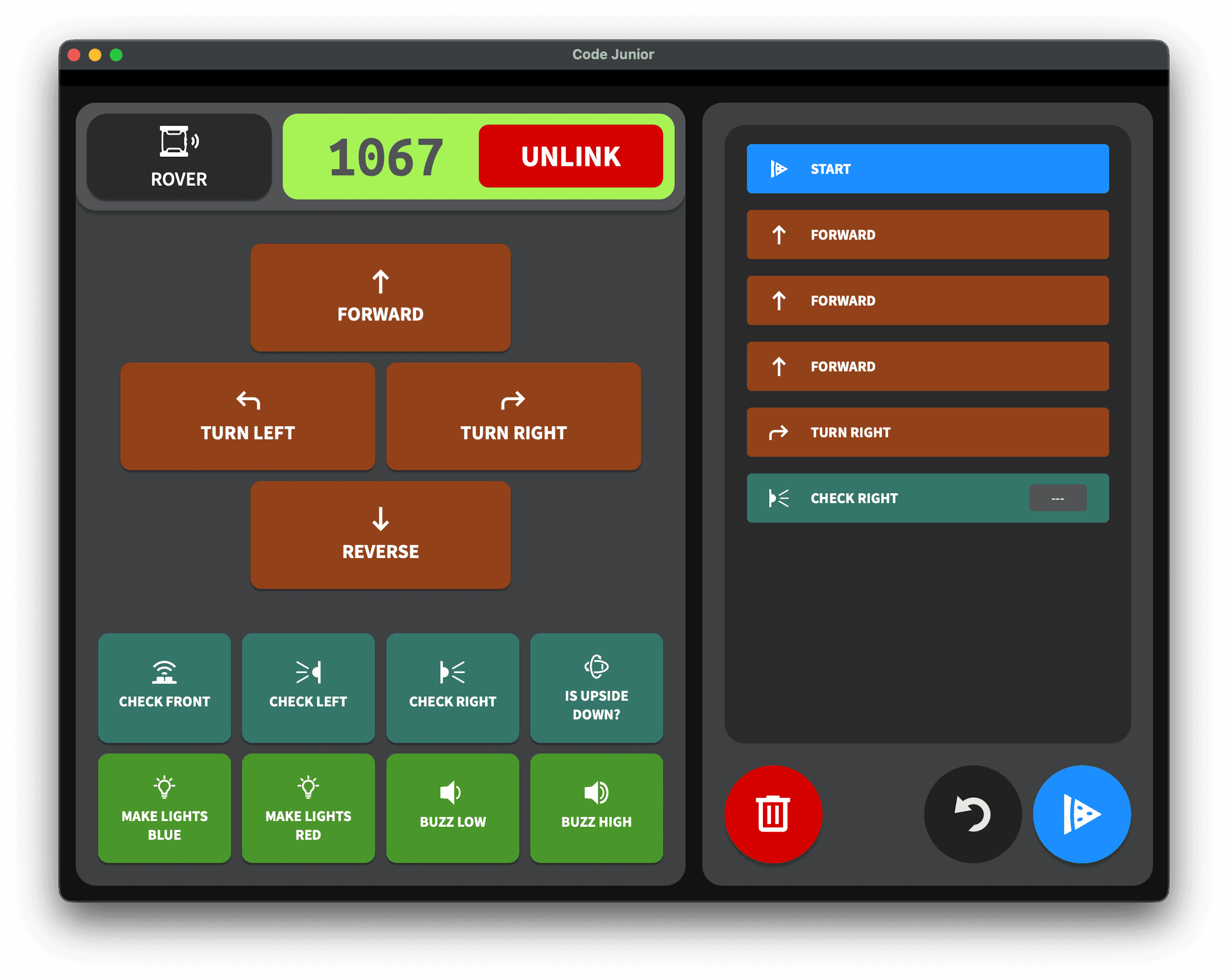
Drag-and-drop blocks to build programs
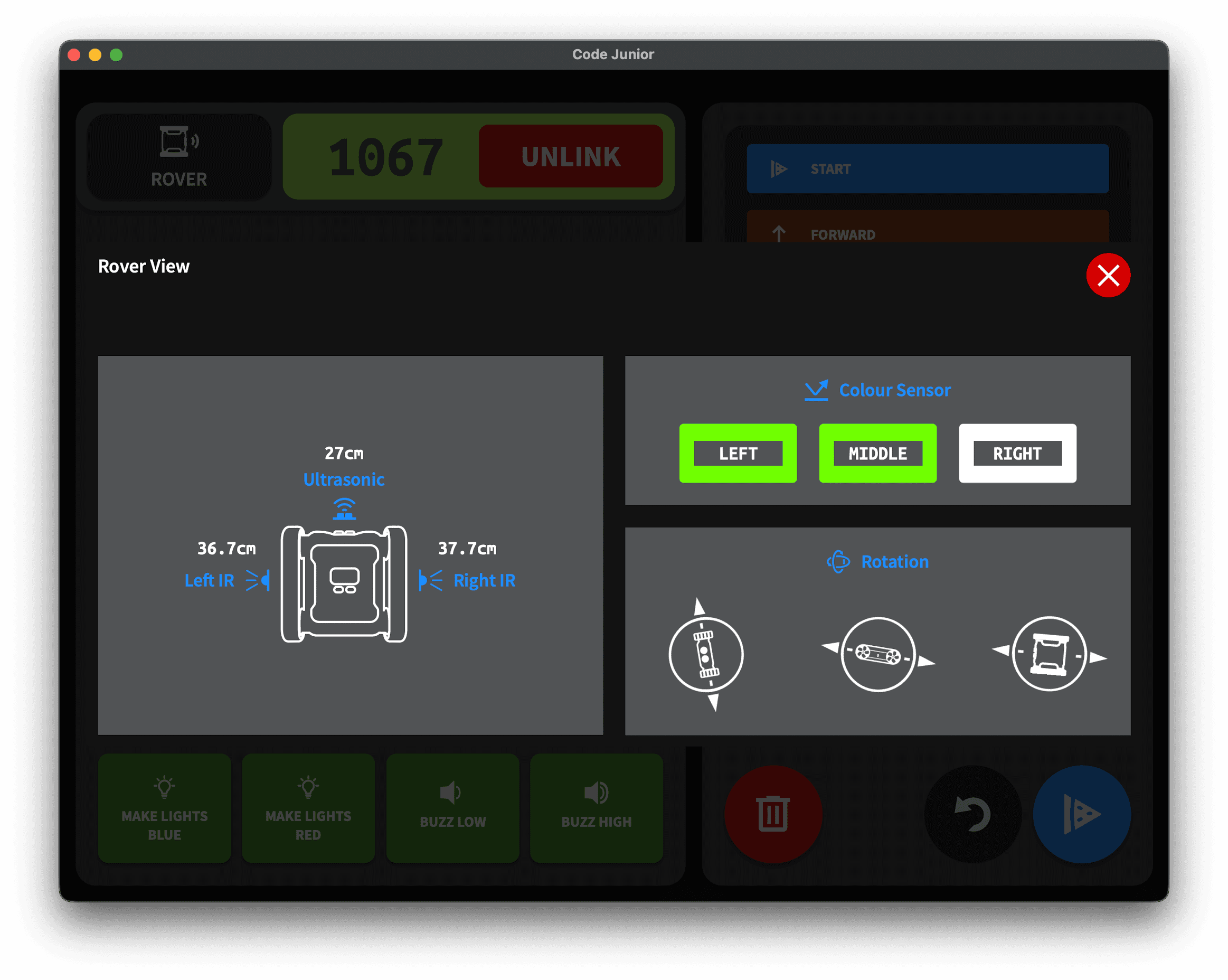
Live sensor data from the connected rover
From Blocks to Python
Junior is the starting point. When students are ready, they move to the full Code Editor with blocks, mixed mode, and Python, all using the same Micromelon Rover.
Ready to Start?
Try Micromelon Junior on your classroom tablets, or explore the full platform.