
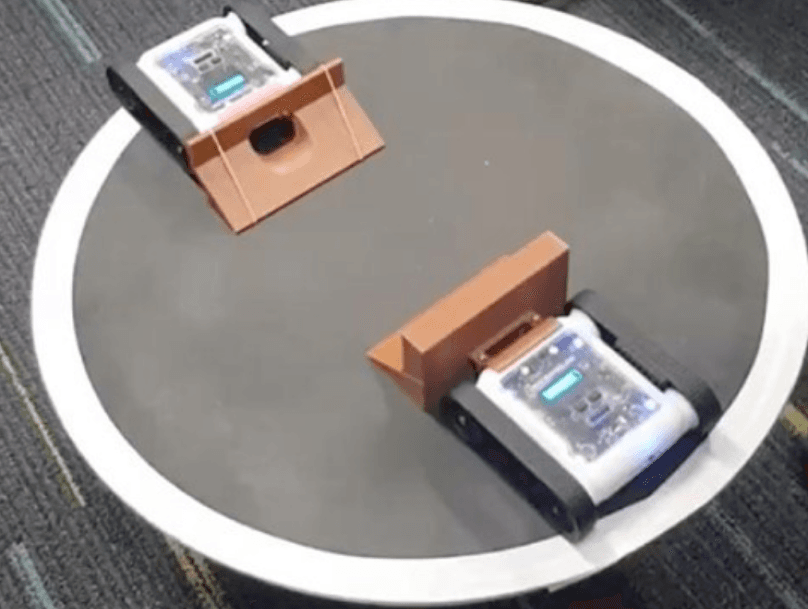
Level up your sumo robot. In this intermediate challenge, you'll add the IR distance sensors to detect opponents from multiple directions and create a smarter search pattern to find and engage your opponent faster.
Activity Demonstration
Setup
Use the same sumo arena setup as Sumo I. A circular arena with clear edge markings, 60-100cm in diameter.
Building On Sumo I
In Sumo I we used the colour sensor to avoid the edge and the ultrasonic sensor to detect opponents ahead. This works, but the rover can only find opponents directly in front of it. By adding the IR sensors we can detect opponents to the left and right as well.
Stage 1: Add IR Sensor Detection
After checking for the arena edge with the colour sensor, add ELSE IF conditions to check the left and right IR sensors. If an opponent is detected to the left, turn left and charge. If detected to the right, turn right and charge. This gives the rover a much wider detection range.
Stage 2: Smarter Search Pattern
Instead of just driving forward when no opponent is detected, implement a search pattern. Spin slowly on the spot while checking all three distance sensors. Once an opponent is detected in any direction, turn to face them and charge at full speed.
Stage 3: Edge Recovery
Improve the edge avoidance behaviour. Instead of just reversing and turning a fixed amount, reverse and then spin to scan for the opponent before moving forward again. This prevents the rover from wasting time after hitting the edge.
Up Next
Ready for advanced sumo? In Sumo III you'll use the gyroscope and accelerometer for precise control and defensive strategies.